Week 8 - Sequence Alignment (BLAST, Pairwise and Multiple Alignment)
Most proteins are somehow related to other proteins. They may share a similar structure and function. To understand how related or similar proteins are, the first and easiest way is to align the primary sequences of proteins.
Proteins that share a common ancestor are called homologous.
- Orthologs: proteins in different organisms sharing a common ancestor (e.g., myoglobin in rat and human)
- Paralogs: proteins formed via gene duplication within a species (e.g., α and β hemoglobin in human)
Identity is defined by exactly the same amino acid in two aligned sequences. Similarity describes structural/functional relatedness.
Tip
Educational Tip: Why Sequences and Structures? Sequence alignments reveal evolutionary relationships, but mapping those sequences directly onto a 3D structure (as we will do in ChimeraX) allows you to see where those conserved amino acids are located. Are they buried in a core to maintain the fold, or exposed in a binding pocket to interact with a ligand?
1. Searching for Homologous Proteins and Domains
Pairwise sequence alignment is a good way to calculate percent identity and similarity of two sequences. BLAST (Basic Local Alignment Search Tool) is one of the best and fastest tools for sequence alignment and is provided by many websites and databases.
When searching for homologous proteins, you are typically looking for conserved domains—regions of the protein that fold independently and carry out a specific function. Recognizing these domains can help predict the function of an unknown protein.
Types of BLAST Programs: Depending on whether you are analyzing DNA/RNA (nucleotides) or proteins (amino acids), you must choose the correct BLAST algorithm: - blastn: Compares a nucleotide query against a nucleotide database. - blastp: Compares a protein query against a protein database. Within protein searches, there are distinct algorithms you can select: - Standard blastp (protein-protein BLAST): Used to identify homologous proteins and find general sequence similarities. - PSI-BLAST (Position-Specific Iterated BLAST): Designed to find highly distant evolutionary relatives. It runs iteratively: it takes the results of the first search to build a custom "scoring profile" (matrix), which it then uses to dig deeper into the database on the second round. - blastx: Translates a nucleotide query into protein sequences (in all 6 reading frames) and compares it against a protein database. - tblastn: Compares a protein query against a nucleotide database (dynamically translated into all 6 reading frames). - tblastx: Translates a nucleotide query and compares it against a translated nucleotide database. (Computationally intensive, used for finding distant relationships).
Interpreting the BLAST Results Interface:
When you run a BLAST search, NCBI organizes the results into several tabs and tables. Here is how to interpret the key columns and features:
Result Tabs: - Clusters: In modern BLAST, highly similar sequences are grouped together to reduce redundancy. - Cluster Representative Sequence: The single sequence chosen to display as the representative for that group. - Cluster Ancestor: The lowest common ancestor in the taxonomic tree for all sequences in the cluster. - Cluster Composition: Shows the makeup of the cluster. You can click to see the cluster contents (the individual sequences within it). - Graphic Summary: A visual block diagram showing how and where the database hits align across the length of your query sequence. - Alignments: The detailed pairwise text alignments showing the exact amino acid matches, positive substitutions (+), and gaps. - Taxonomy: Shows the biological distribution of your hits across different species and lineages.
Table Columns and Metrics: - Max Score: The highest alignment score for a single continuous aligned segment, calculated using a substitution matrix (like BLOSUM62). - Total Score: The sum of alignment scores for all segments from the same database sequence that match the query (relevant if there are multiple separate alignments to the same target). - Query Cover: The percentage of your query sequence length that is included in the alignment. (A high coverage means the whole protein aligns, not just a small fragment). - E value (Expect value): The number of expected hits of similar quality that could be found just by chance. The closer the E-value is to zero, the more statistically significant the match! - Per. Ident (Percent Identity): The percentage of exactly matching amino acids in the aligned region. - Acc. Len (Accession Length): The total length (number of amino acids) of the target database sequence. - Accession: The unique database identifier code for the sequence hit.
(Note: Use the Select checkboxes on the left side of the table for downloading FASTA files or viewing specific summary reports for a subset of hits).
Algorithm Parameter Settings: Before running a BLAST search, you can expand the "Algorithm parameters" section at the bottom of the query page to fine-tune how the search is executed:
- General Parameters:
- Max target sequences: Select the maximum number of aligned sequences to display in the results.
- Short queries: Automatically adjusts parameters (like word size and E-value threshold) to optimize finding matches for short input sequences.
- Expect threshold: The statistical significance threshold for reporting matches. Matches with E-values higher than this limit are discarded.
- Word size: The length of the initial short sequence seed ("word") that BLAST uses to begin building an alignment. Smaller word sizes increase sensitivity but take longer.
- Max matches in a query range: Limits the number of matches reported for a specific region of the query, preventing a single highly-conserved domain from hiding other hits.
- Scoring Parameters:
- Matrix: The substitution matrix (e.g., BLOSUM62) used to assign scores to matching and mismatching amino acids based on evolutionary probabilities.
- Gap Costs: The penalty scores applied for opening a new gap or extending an existing gap in the alignment.
- Compositional adjustments: Adjusts the scoring matrix to account for sequences with statistically biased or unusual amino acid compositions.
- Filters and Masking:
- Filter Low complexity regions: Masks regions of the query that have low compositional complexity (like a long run of prolines) to prevent them from generating artificially high scores with unrelated proteins.
- Mask for lookup table only: Masks low complexity regions only during the initial "word" finding phase, but allows them to be scored in the final alignment.
- Mask lower case letters: Allows you to manually designate regions of your FASTA sequence in lower-case letters that the algorithm should ignore.
Example 1: Use BLAST to analyze an unknown protein (GPR50 from Homo sapiens)
BLAST can be used to get an idea about an unknown protein. By BLASTing, you can find similar sequences that help you guess the function and possibly structure of the protein.
Route A: Web-Based Database Search (NCBI)
- Go to https://www.ncbi.nlm.nih.gov/
- Search
GPR50by adjusting the search criterion to Protein.

- Select GPR50 protein from Homo sapiens from the dropdown menu.
- A new window displays information on GPR50. On the right side there is a link menu titled Analyze this sequence.
- Click Run BLAST.
- The BLAST window appears and the accession number is filled automatically.
- Click the BLAST button.
Alternative route: 1. Go to https://www.ncbi.nlm.nih.gov/ and find BLAST under Popular Resources. 2. Click BLAST and select protein BLAST. 3. In the query box you can paste a FASTA sequence, GI number, or Accession number.
The results window displays a list of sequences producing significant alignments, ordered by descending E-values.
Route B: Doing it in ChimeraX
ChimeraX allows you to run BLAST directly against the PDB or UniProt databases without leaving the software, instantly returning structures that match your query!
Via GUI:
1. First, fetch the sequence. Go to File → Fetch by ID....
2. Select UniProt and type Q13639 (the UniProt ID for Human GPR50).
3. The Sequence Viewer will open.
4. In the Sequence Viewer menu, click Info → BLAST Protein....
5. Select the database to search (e.g., pdb) and click OK.
Via Command Line:
# Open the sequence directly via its UniProt ID
open uniprot:Q13639

# Run a BLAST search against the Protein Data Bank (pdb)
blastprotein Q13639 database pdb
Known Issue: HTTP Error 415
If you receive the error Parsing BlastProtein results failed: HTTP Error 415: Unsupported Media Type, this indicates a known communication issue between ChimeraX and the external UCSF/NCBI BLAST web servers (likely due to a backend API update). If you encounter this error and updating to the latest ChimeraX "Daily Build" does not resolve it, please fall back to Route A and run the search directly in your web browser.
Info
When the BLAST search finishes successfully, ChimeraX displays a result table. You can instantly click any resulting PDB ID in that table to load its 3D structure into your main window!
2. Alignment of Two Sequences
Example 2: Align melatonin receptor type 1A from Homo sapiens and Mus musculus
Route A: Web-Based Alignment (NCBI)
- Go to the protein BLAST window as in Example 1.
- Check the box for Align two or more sequences.
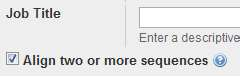
- Enter FASTA sequence, GI number, or accession number of type 1A from Homo sapiens and from Mus musculus into the first and second box.
- Click BLAST.
Interpretation:
- Query represents the first sequence, Subject is the second.
- Fully aligned parts are shown as exact amino acid matches.
- + signs show that the amino acid is not identical but changed to a similar amino acid (e.g., I→L).
- Gaps indicate regions that do not align well.
Route B: Structural Sequence Alignment in ChimeraX
Since these proteins are 3D structures, aligning them structurally provides a far more accurate sequence alignment. We can use the AI-predicted AlphaFold models for these receptors.
Via Command Line:
# Fetch the AlphaFold models for both Human (P48039) and Mouse (Q61184)
alphafold match P48039
alphafold match Q61184

# Structurally superimpose them using MatchMaker and show their sequence alignment
matchmaker #2 to #1 showAlignment true
Once matchmaker finishes, ChimeraX mathematically calculates the sequence alignment based on how well the 3D backbones matched.
Via GUI (Viewing the Alignment): 1. Go to Tools → Sequence → Sequence Viewer. 2. In the resulting dialog, you will see the generated structural alignment. 3. Residues that perfectly match will be highlighted. You can hover over mutations to see how they differ between the two species.
3. Multiple Sequence Alignment
Example 3: Align dopamine D1 receptor sequences from different organisms
Route A: Web-Based Multiple Alignment (ClustalW via EBI)
- Go to https://www.ebi.ac.uk/jdispatcher/
- Paste FASTA format sequences of the D1 receptors with the following accession numbers:
NP_001108459.1NP_001011595.1EFN72198.1NP_776467.1CAA41734.1
- Include the
>gi...line at the beginning of each FASTA sequence. - Click Submit.

Interpretation:
- * indicates fully conserved residues.
- : indicates conservation of strong groups.
- . indicates conservation of weak groups.
Route B: Multiple Sequence Alignment in ChimeraX
ChimeraX integrates with Muscle and ClustalOmega web services to align multiple sequences simultaneously.
Method 1: Loading a Local FASTA File
If you have NCBI RefSeq IDs, the easiest way is to download or copy-paste their sequences into a text file named receptors.fasta.
# Open your local multi-FASTA file
open receptors.fasta
Method 2: Fetching Directly via UniProt IDs
Alternatively, if you know the UniProt IDs for these orthologs (e.g., Human P21728, Mouse Q61616, Rat P18901), you can fetch them directly:
# Fetch multiple sequences into the viewer
open uniprot:P21728
open uniprot:Q61616
open uniprot:P18901
Performing the Alignment: Once the sequences are in the Sequence Viewer, they are not yet aligned.
Via GUI: 1. In the Sequence Viewer window, select all sequences (click and drag or use Shift+Click). 2. Go to Edit → Align in the Sequence Viewer menu. 3. Choose either Muscle or ClustalOmega and click OK.
Via Command Line:
# Use the sequence command to invoke ClustalOmega on all specified open sequences
sequence align P21728,Q61616,P18901 program clustalomega
Tip
Advanced Visualization: Once aligned, use the Sequence Viewer's Headers menu to turn on Consensus or Conservation. You can even go to Preferences → Appearance in the viewer to change the coloring scheme to "Clustal X" to color-code the amino acids by their physicochemical properties!
4. Python Showcase: Programmatic Sequence Alignment
You can easily automate the fetching and alignment process in ChimeraX using the integrated Python shell.
Open your Python Shell (Tools → General → Shell) and run:
from chimerax.core.commands import run

print("Fetching and Aligning Sequences...")

# Fetch the human and mouse Dopamine D1 Receptors
_ = run(session, 'open uniprot:P21728')
_ = run(session, 'open uniprot:Q61616')

# Run ClustalOmega to align them automatically
_ = run(session, 'sequence align P21728,Q61616 program clustalomega')

print("Alignment complete! Please check the Sequence Viewer.")
5. Other Tools
- PROSEARCH: searches PROSITE for patterns in the protein.
- GOR4 and CHOFAS: secondary structure prediction.
- PELE: predicts secondary structure with multiple different algorithms.
- TMHMM: predicts location of transmembrane helices and intervening loop regions.
- PSI-BLAST: position specific iterated BLAST.
(Note: SDSC Biology Workbench was available at http://workbench.sdsc.edu/; however, due to funding issues they have suspended their services).